Game Launch FlowThe complete flow is as follows:
- The player clicks on a game tile on the Operator's casino website or app. - The Operator's backend sends a Start Game request to the CloudAggregator API, providing player session details, game configuration, and wallet callback information. - CloudAggregator validates the request, creates a game session, and returns a redirect URL pointing to the requested game. - The Operator's frontend opens the redirect URL in an iframe, a new browser tab, or a native WebView. - The game loads and begins communicating with CloudAggregator. CloudAggregator then relays wallet transactions (GetBalance, Wager, Result) to the Operator's registered wallet endpoint throughout the game session. Note: For Sports Book game launches, refer to Section 9: Sports Book Integration (Appendix B) for the dedicated launch flow, which returns a JSON configuration object instead of a redirect URL. Step 1: Generate Launch UrlAPI Endpoint GET http(s)://<Regional Server (Staging / Production)>/game/launch {
"session_id": "<operator_player_token>",
"account_id": "<player_uuid>",
"game_id": "<game.id>",
"operator_id": "<operator_id>",
"device": "desktop | mobile"
}
Success Response {
"success": true,
"data": {
"launchGameUrl": "<Rummy / Rummy Lobby Launch Url>"
}
}This URL launches the Rummy game session Even on failure, API may return: {
"success": false,
"message": "Please try again after sometime"
}Step 2: Launch UrlNow operator can open the generated launch url in to Iframe, WebView or in new browser tab based on operator site / app implementation.
 Game Launch Flow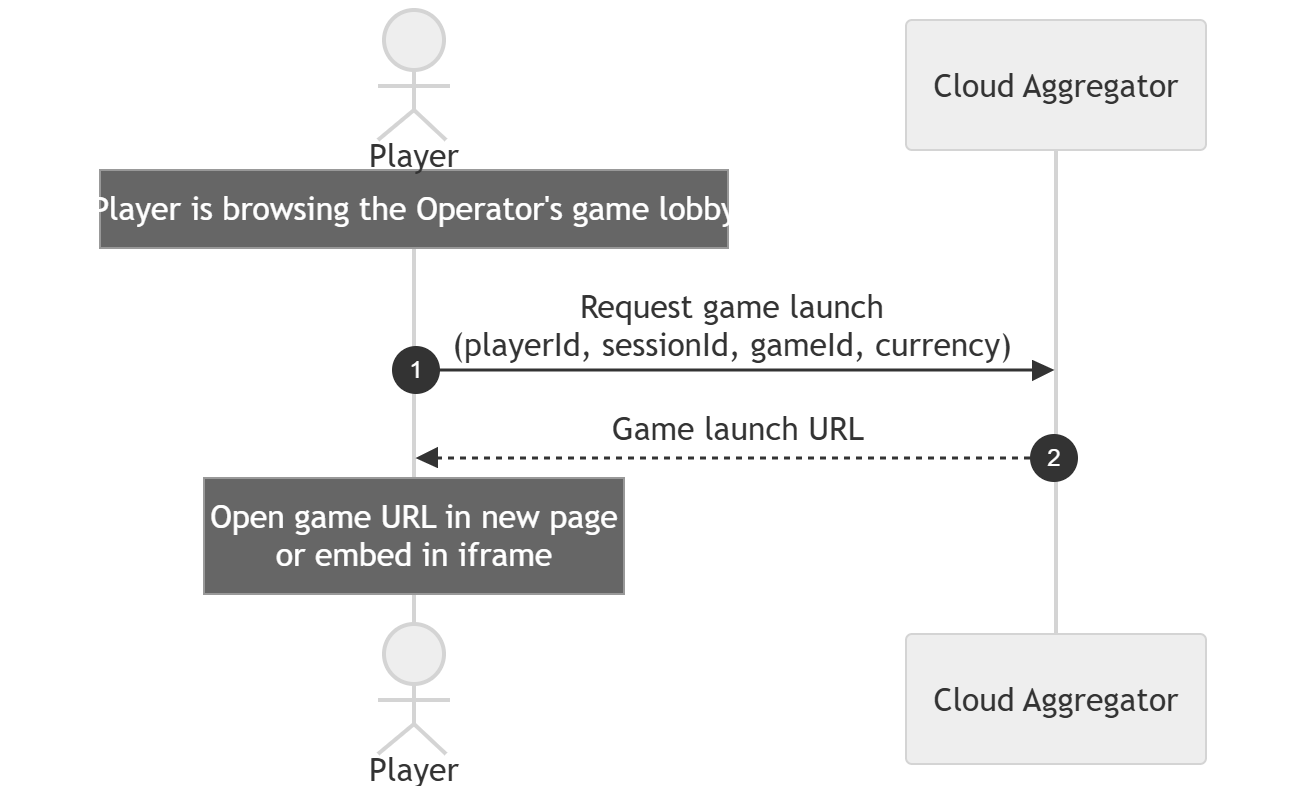 Note: It is recommended to use proxy endpoint on operators end (as below) to avoid cross domain issues and enhanced security 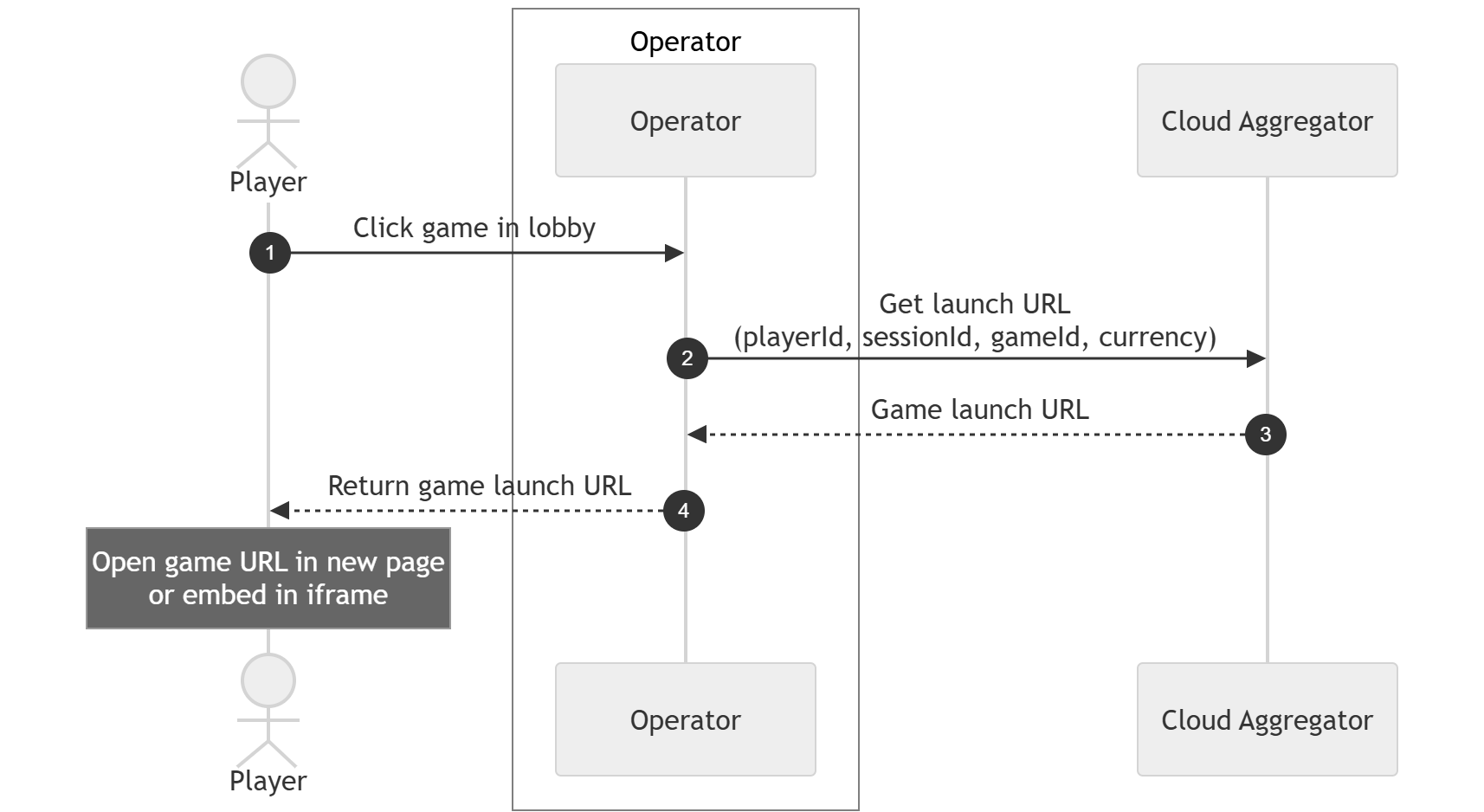 |
GET
Game Launch API
Effective URL
https://cloudaggregator.net/api/t/WORKSPACE_ID_PROVIDED_TO_YOU_BY_CLOUD_AGGREGATOR/v2/game/launch?operator_id=OPERATOR_ID_PROVIDED_TO_YOU_BY_CLOUD_AGGREGATOR&game_id=GAME_ID_TO_LAUNCH&session_id=SESSION_ID_OF_YOUR_PLAYER_FROM_OPERATOR&account_id=UNIQUE_ID_OF_YOUR_PLAYER_FROM_OPERATOR¤cy=EUR&is_test_account=false
Required Parameters
Optional Parameters
Start Game RequestThis endpoint launches a game and initiates a new game session.
Request Query Parameters
Request Example
Success ResponseHTTP Status: 302 Found. The player is automatically redirected to the game launch URL. No additional processing is required by the Operator for this redirect. Error Response
|